Every reinstall teaches the same lesson twice. The first lesson is that your data survives if you back it up. The second — the one that actually hurts — is that you don't survive the reinstall. Your keybindings are gone. Your carefully tuned prompt is gone. The aliases you typed a thousand times a day are gone, and you spend the next week re-learning your own machine like a tourist.
The files that define your environment are your dotfiles: the hidden config files in your home directory — .bashrc, .zshrc, .vimrc, .tmux.conf, .gitconfig, everything under .config/. Most backup strategies skip them entirely (they're "just settings"), and most people rebuild them from memory, which is the worst version-control system ever invented.
There are three serious ways to manage dotfiles. The bare-git-repo trick (git init --bare ~/.dotfiles) is clever and dependency-free. chezmoi is the power tool, with templating and secret management built in. But the method with the best effort-to-sanity ratio — the one I'd hand to a friend who just wants it done — is git plus GNU Stow. Stow turns your dotfiles into symlinks, so the files you edit are always the files in the repo. No sync step, no drift, no "wait, which copy is current." Here's the playbook.
Prerequisites
- A Linux machine (any distro) with git installed
- GNU Stow:
sudo apt install stow(Debian/Ubuntu),sudo dnf install stow(Fedora),sudo pacman -S stow(Arch) - A private git repo to push to (GitHub/GitLab/Forgejo — private, always private)
Step 1: Take inventory of what you actually customized
Don't version everything with a dot in front of it. Version the files you changed. Start with the usual suspects:
ls -la ~ | grep "^\."
ls ~/.config
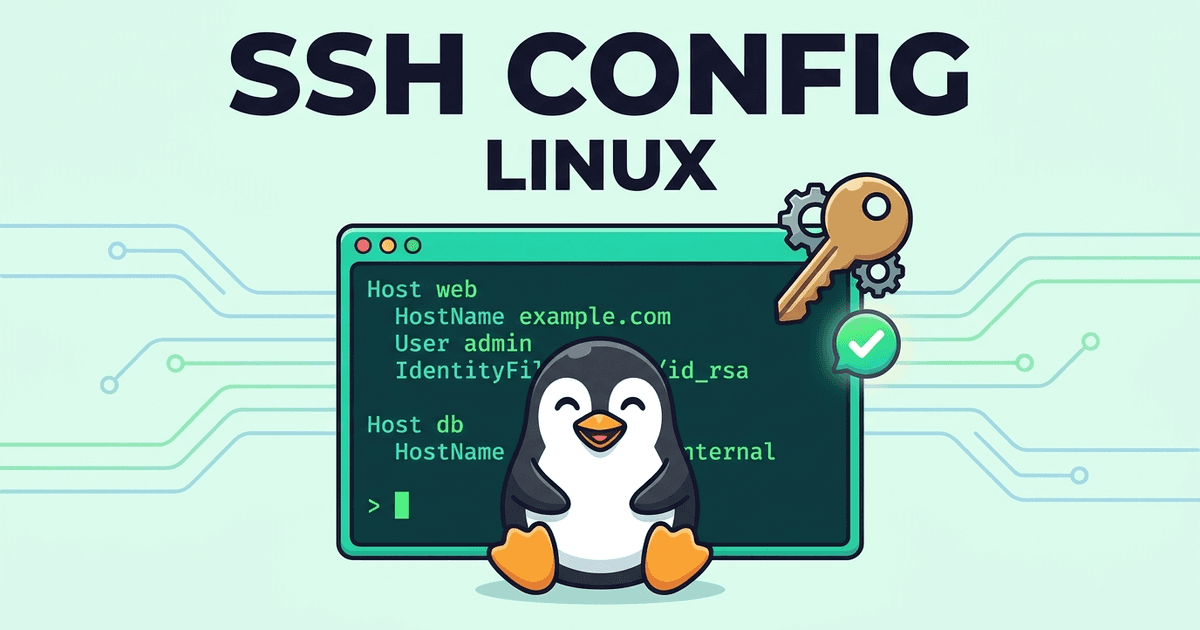
Your shortlist is probably: your shell config (.bashrc or .zshrc), your editor config (.vimrc or .config/nvim/), .tmux.conf, .gitconfig, and .ssh/config. Note that last one carefully — .ssh/config is safe and worth versioning; your private keys in .ssh/ are never, ever going in this repo. We'll lock that down in Step 4.
Step 2: Build the Stow package layout
Create one directory per "package" inside ~/.dotfiles. Each package mirrors the structure it will have in your home directory:
mkdir -p ~/.dotfiles/{zsh,nvim,tmux,git,ssh}
mkdir -p ~/.dotfiles/nvim/.config
mv ~/.zshrc ~/.dotfiles/zsh/.zshrc
mv ~/.tmux.conf ~/.dotfiles/tmux/.tmux.conf
mv ~/.gitconfig ~/.dotfiles/git/.gitconfig
mv ~/.ssh/config ~/.dotfiles/ssh/.ssh/config
mv ~/.config/nvim ~/.dotfiles/nvim/.config/nvim
Read that layout like a map: ~/.dotfiles/zsh/.zshrc will become ~/.zshrc, and ~/.dotfiles/nvim/.config/nvim/init.lua will become ~/.config/nvim/init.lua. Stow figures out the nesting for you.
Step 3: Stow them into place
cd ~/.dotfiles
stow zsh tmux git ssh
stow nvim
Stow creates symlinks from your home directory into the repo. Verify with:
ls -la ~/.zshrc
# lrwxrwxrwx ... /home/you/.zshrc -> dotfiles/zsh/.zshrc
From now on, editing ~/.zshrc is editing the repo file. There is no sync step because there is nothing to sync. To remove a package's links later: stow -D zsh. To re-link after moving things around: stow -R zsh.
One gotcha: Stow refuses to link if a real file already occupies the target. That's a feature — it means you forgot to move the file in Step 2. Move it, then stow again. (There is a --adopt flag that auto-moves existing files into the repo; it works, but doing it by hand once teaches you the layout, which pays off every time you debug it later.)
Step 4: Make the repo secret-proof before the first commit
This is the step people skip, and it's the step that matters most. Your shell config will accumulate an API token, a database password, or an AWS key eventually. Build the guardrails now:
cd ~/.dotfiles
git init
cat > .gitignore <<'EOF'
# never version these, no matter what
*.pem
*.key
id_*
*token*
*secret*
.credentials
EOF
git add .
git status   # READ this output. Every file listed is about to go public-ish.
For values that must differ per machine (API keys, tokens), don't commit the real file — commit a template. If your .zshrc needs a token, replace the line with export API_KEY="${API_KEY:-}" and document in the repo's README where the real value should come from (a password manager, an env file that stays out of git). The rule is simple: if you wouldn't paste it in a chat window, it doesn't go in the repo.
Now commit and push to your private repo:
git add .
git commit -m "Initial dotfiles: zsh, nvim, tmux, git, ssh config"
git branch -M main
git remote add origin [email protected]:YOURNAME/dotfiles.git
git push -u origin main
Step 5: Write the bootstrap script
The whole point is a new machine that configures itself. Add an install.sh to the repo root:
#!/bin/bash
set -euo pipefail

# install stow + git on Debian/Ubuntu, Fedora, or Arch
if command -v apt >/dev/null; then
  sudo apt update && sudo apt install -y stow git
elif command -v dnf >/dev/null; then
  sudo dnf install -y stow git
elif command -v pacman >/dev/null; then
  sudo pacman -S --needed --noconfirm stow git
fi

# clone (if not already) and link everything
[ -d ~/.dotfiles ] || git clone [email protected]:YOURNAME/dotfiles.git ~/.dotfiles
cd ~/.dotfiles
stow zsh tmux git ssh nvim

echo "Done. Restart your shell."
Commit it. The script is the difference between "my dotfiles are backed up" and "my environment is reproducible."
Step 6: Prove it works — on a machine you don't care about
A backup you never tested is a rumor. Spin up a VM, a container, or a cheap VPS and run the bootstrap end to end:
curl -fsSL https://raw.githubusercontent.com/YOURNAME/dotfiles/main/install.sh | bashThen check: does your prompt look right? Do your aliases work? Does nvim open with your config? Fix whatever breaks in the repo and push — that's the workflow from now on: edit, commit, push. The VM test also catches the classic failure: a hardcoded /home/oldusername path hiding in some config. Use $HOME in your dotfiles, always.
The daily workflow (30 seconds)
cd ~/.dotfiles
git add -A && git commit -m "tweak: shorter git aliases" && git push
That's it. Machine dies, you run install.sh, you're home in minutes instead of days.
When to graduate to chezmoi
Stow covers 90% of people. Reach for chezmoi when you need machine-specific variants (work laptop vs. home server get different .gitconfig emails), encrypted secrets via age/gpg, or templated configs. It's the same idea with a templating engine bolted on — and migrating later is easy, because your files are already organized per package.